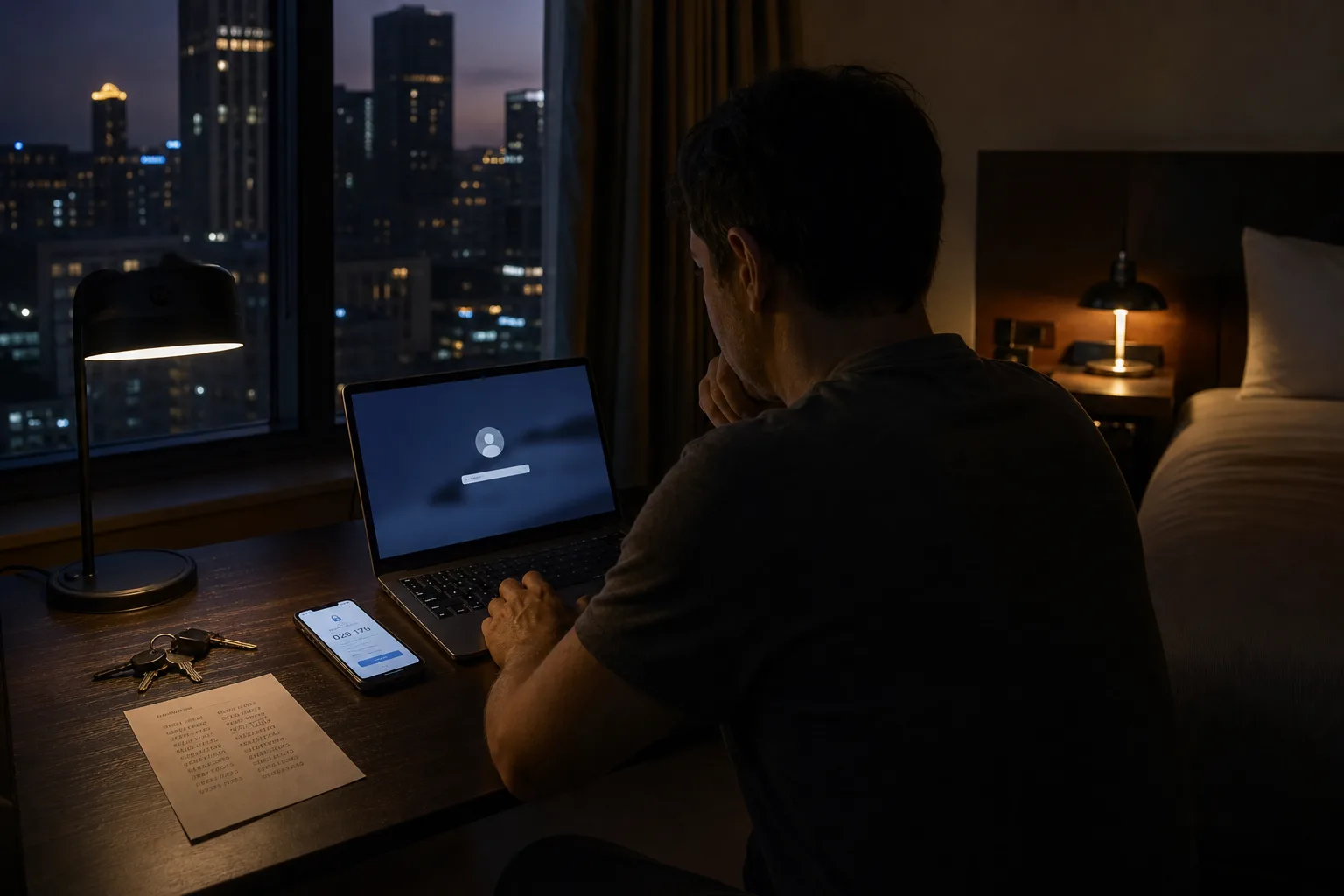
The failure almost never announces itself as a password problem. It shows up as a tenant calling about heat that will not come on, a water bill that quietly stopped paying itself in March, a camera feed that went dark the week you left, or a contractor standing at a door you cannot open from a hotel room three states away. Somewhere behind each of those is a credential that expired, a phone number that changed carriers, or a recovery email nobody has read since a job ended. The consequence is time, and the time is measured in days.
The everyday losses that trace back to a login
Consider what a household actually runs through accounts now: the utility autopay, the internet service that the security camera depends on, the smart thermostat in a house you visit twice a year, the garage door opener, the pharmacy refill, the property tax portal, the airline credit sitting in a profile nobody can reach. Each of those is a small thing until the account is the only route to it. When the login stops working, the underlying service does not fail. It keeps running, invisibly, on terms you can no longer change, and that gap between the service working and you controlling it is where the money goes.
The autopay case is the cleanest example. A card expires, the account sends a notice to an address you abandoned, the payment fails twice, and a late fee attaches before anyone notices. Reinstating the payment requires getting back into the account, which requires the recovery email, which is the abandoned address. Nothing here was a security incident. No one was attacked. A household simply lost the ability to administer itself remotely, and the first bill arrived before the first symptom.
Recovery is a queue, and you are in it
People assume account recovery is instant because password resets usually are. Reset, when you still hold the recovery factor, takes under a minute. Recovery, when you have lost the factor, is a different process entirely, and it is built to be slow on purpose, because speed is exactly what an attacker impersonating you would want. Expect identity verification, a waiting period before the change takes effect, notification sent to the old contact details so the real owner can object, and in some cases a hold on transfers or address changes for a stretch of days after the account is unlocked. The delay is the security feature.
The phone number is the pivot most households underestimate. A mobile number is not really yours: it is assigned to you by a carrier, and it is the fallback for a startling share of second-factor codes and recovery links. Change carriers, let a line lapse, move a family member to a new plan, or have a number reassigned after a prepaid account goes dormant, and every account that leans on that number becomes harder to reach in a single stroke. When you are out of town and the code goes to a handset in a drawer at home, the account may as well belong to someone else that week.
There is a second queue people meet only once. Financial institutions and some government portals route failed online verification to a phone line with limited hours, or to a branch, or to a form that must be notarized. From another city, the notary is an appointment, the branch is a flight, and the phone line is a morning. The fix is not difficult. It is just not available at eleven at night from a laptop, which is exactly when most people discover they need it.
Who else in the household needs in
An individual can run on memory. A household cannot, because two or more people need the same twelve accounts at unpredictable moments, and one of them is usually the one traveling. The utility account is in one name, the internet account is in another, the alarm system has a verbal passcode that only one person memorized, and the person at the house is not that person. Sharing the password by text solves the hour and creates a permanent copy of your credential in two message histories. The better pattern is a shared vault with per-item access, or the account's own built-in guest and secondary-user features, which exist on more platforms than most people check.
Delegation matters more than secrecy for anything physical. Smart locks and garage controllers generally support a guest code with a time window, which means a contractor gets Tuesday morning and not permanent entry, and the log tells you when the code was used. That is a genuinely different thing from handing over your account password, and it is the single change that most reduces the number of calls you have to take on a job site. Set the expiry when you issue the code, not afterward, because afterward is the step that never happens.
The last piece is the unreachable case. If you are on a plane, in surgery, or simply asleep in a different time zone, someone at the house should be able to act without you. Most major platforms now offer a legacy or trusted-contact mechanism, and a written record of which accounts control which physical systems, kept somewhere a spouse can find it, costs an afternoon and removes an entire category of emergency.
What the advice changed to, and why it helps a remote owner
The guidance many people were trained on, forced changes every quarter and a fixed quota of symbols, has been revised by the standards community. The National Institute of Standards and Technology is responsible for the federal digital identity guidelines that most of this advice descends from, and the direction of travel is clear: length beats complexity, scheduled rotation without cause does more harm than good, and a password should be changed when there is evidence it was exposed rather than because a calendar said so. For a household, that shift is practical rather than philosophical. Long passphrases are easier to remember, easier to read aloud over a bad connection, and far less likely to be written on a sticky note under a keyboard.
The second change is where the real remote benefit lives. Second factors moved from text messages toward authenticator apps, hardware keys, and passkeys tied to a device you carry. An app-generated code works in an airport with no cell signal as long as you have the phone. A passkey works without a code at all. Both survive a carrier change that would silently break every text-based factor you own, which is the failure mode that strands people who move, travel, or keep a second line for a rental property.
Backup codes are the part almost everyone skips and the part that matters most when you are away. Generate them, print them, and put the paper somewhere physical and specific: a folder at home that your spouse knows about, and a copy in your travel bag. They are the only recovery method that does not depend on a network, a carrier, a queue, or someone answering a phone during business hours.
An hour spent auditing recovery contacts, moving second factors off text messages, and issuing time-limited access to the people who show up at the property is not security housekeeping in the abstract. It is the difference between fixing something from a hotel room in ten minutes and losing the week to a verification process built, quite deliberately, to make a stranger wait.